

Tips for filming Golf Videos with Gopro, Drone, Mirrorless Camera’s
In the past few years I’ve documented my golf journey on my Youtube Channel Mulligan Greens (my youtube channel has been since terminated). I started off the a Gopro camera, but then progressed to use a drone and Mirrorless Camera to add additional production value. Before getting into Golf I was filming for over 12 years so in this post I’m going to jam pack knowledge in here from the production side and leave you with more resources from my online courses for production, editing, and my gear kit.
The Gopro can be an effective way to start capturing your golf videos. It is small, light, and can film amazing videos at multiple frame-rates. Whether you’re looking to analyze your swing or create engaging content or film unique angles from the power cart here are some essential tips to get the most out of your GoPro while filming golf. It’s also a good way to start filming if you don’t have a dedicated videographer. The Gopro is also small, convenient, and has long battery life. It simply allows me to play and film as a one man band.

1. **Choosing the Right Mount**
Selecting the appropriate mount is crucial for stable and dynamic shots. The chest mount and head strap are popular choices, providing a first-person perspective that immerses viewers in the action. For a more stationary setup, consider using a tripod or a clamp mount on your golf cart. Personally I’m using a mini manfrotto tripod and sometime a full-size tripod that I store in my golf bag. In 2025 I’ve purchased this new clamp mount, which is awesome for mounting to the power cart to get the moving angles while you’re driving or even for a power cart cam angle. It’s light and allows me to get higher angles than the mini tripod mount.

2. **Optimal Settings for Golf Filming**
Adjusting your GoPro settings can significantly impact the quality of your footage. Set the resolution to 4K or higher for crisp visuals. Use a frame rate of 60fps to capture smooth motion, especially during swings. Don’t forget to enable the Protune feature for greater control over exposure, color, and sharpness. Just keep in mind if you have high frame rates like 120fps you won’t get as clean footage if the lighting is a bit darker. My personal favourite preset is the 4K 60fps preset mode and sometimes I’ll change the fps to 120fps.
3. **Angles and Perspectives**
Experiment with different angles to add variety to your videos. Capture wide shots of the course to showcase its beauty, and close-ups of your swing for detailed analysis. Gopro 11 and higher have the hyperview wide mode which bigger camera’s aren’t capable of. You can also place the camera from a side angle or even in front of you (if you’re brave) to capture a frontal angle with a low tripod.
4. **Lighting and Weather Considerations**
Natural lighting plays a vital role in video quality. Shoot during the golden hours—early morning or late afternoon—for the best lighting conditions. Be mindful of shadows and glare, and adjust your GoPro’s exposure settings accordingly. If you’re filming on a cloudy day, use a higher ISO to compensate for the lower light levels. As a rule of thumb you can also film in the direction that the sun is shining.
5. **Editing Your Footage**
Post-production is where your footage comes to life. Use editing software to trim unnecessary parts, add slow-motion effects, and enhance colors. Incorporate background music and commentary to make your videos more engaging. Remember to keep your edits concise and focused on the key moments of your game. I like using Adobe Premiere Pro for video editing, but I sometimes use Final cut Pro as well. When editing the footage my favourite techniques are to set up an HD project which allows me to zoom in (scale into the 4K footage) and I will use slow motion on certain shots.
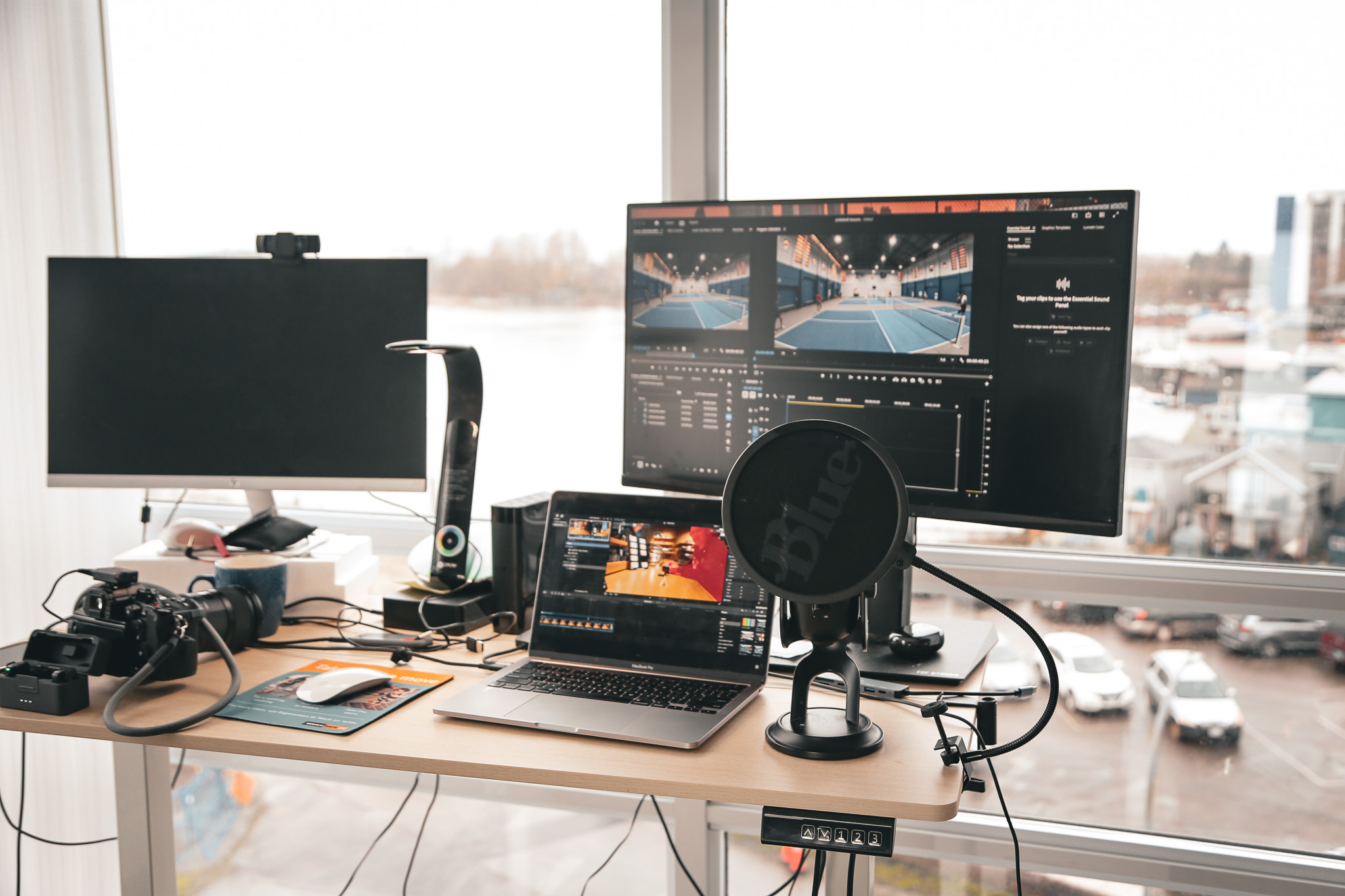
It’s also crucial to have a good sports video editing setup for your workspace. I cover my setup in detail over here.
6. **Extra Batteries (2026 update)
I find with an 18 hole round you’re going to run out of a battery fairly quick so buy some spares are at least have a power bank if you want to capture the whole 18 holes. I recently purchased a 3 slot gopro battery charger compatible with batteries for Gopro models 9-12. For each battery slot it shows the amount of charging level and it’s powered by USB-C. It also comes with 2 enduro batteries and the USB-C cable. I found that batteries are often the bottleneck during long sports activities. The link to this product is here.

Using a Drone

- Obtain permission from the golf course before flying a drone.
- Ensure the drone flight doesn’t disturb other golfers; only film within your group.
- Public courses may have time constraints due to other players.
- Modern drones like the DJI Mavic series offer reliability and extended flight times (20+ minutes), allowing for hovering shots.
- Hovering the drone at a lower angle can capture the golf swing effectively.
- Drone footage provides opportunities for flyovers of the hole and course.
- Having a dedicated drone pilot/videographer is highly recommended when using a drone.
If you don’t want to fly a drone yourself, you can license my ready-to-use 4K Golf Drone Aerial Footage Packages here.
Filming with a Mirrorless/Hybrid Camera
If you want the maximize production value then you can step it to a Mirrorless Camera setup. Some of the advantages with this setup include: better picture quality, the advantage of a zoom lens to change the focal length, use of a wireless lav mic to capture audio. It’s challenging to film and transport this set up while playing, which is why I hired a power cart for myself or I share it at times. You definitely need a tripod for this type of setup. For the 2024 season I used a Panasonic GH6 with a Sigma 18-35mm lens with the Viltrox Canon len’s adaptor. The rode wireless lav kit worked well to capture audio. I recommend bringing extra batteries and filming at UHD 4K 120 frames per second (fps) to capture smooth slow motion. It is hard to find focus so I’ll let one of my friends in the group tee up first. F.28-F4 is easier to find focus compared to F1.4 or lower. I’ll leave a sample video to see and my gear kit. I manage to multi-task filming and playing at the same time, but ideally it would be great to have a dedicated videographer or 2 for best results.
Maximize production value with a Mirrorless Camera setup, offering better image quality and the flexibility of a zoom lens. Capture high-quality audio using a wireless lav mic. Filming and transporting the setup while playing can be challenging, so consider renting a power cart or sharing it with others. A tripod is essential for stability.
For the 2024 season, I utilized a Panasonic GH6 with a Sigma 18-35mm lens and a Viltrox Canon lens adaptor. The Rode Wireless Lav Kit effectively captured audio. I recommend bringing extra batteries and filming in UHD 4K at 120 frames per second (fps) for smooth slow-motion effects.
Finding focus can be challenging, so I often let a friend in the group tee up first. F.28-F4 settings are easier to focus on compared to F1.4 or lower. Refer to the sample video and my gear kit for more details.
I manage to multitask by filming and playing simultaneously, but ideally, a dedicated videographer or two would produce optimal results. Here are some more in depth courses as well as my gear kit if you need a deep dive in the production and video editing side of things.
Master Golf Videography & Video Editing
If you need further help on golf videography and video editing professional footage then check out our online courses below.

Online Course for Filming Video with the Panasonic GH6
Online Course for Filming video with Gopro 9 – 11
Online Course for Video Editing with Premiere Pro & Final Cut Pro
My Golf Content Creator Kit
 ” /> Big Camera GH6 Panasonic https://amzn.to/3qFBhav
” /> Lens https://amzn.to/3P0A6vO
” /> Canon Lens Adaptor for Micro 4/3 by Viltrox
” /> Gopro 11 – everyday vlog cam
Gopro 3 slot battery charger with 2 batteries
” /> Rode Lav mic for Go Wireless
” /> Rode Wireless Lav Mic Set
Lexar 128 Pro Memory Card 250 mb/s
” /> SMALLRIG SSD Mount Bracket SSD Holder for Samsung T5 SSD
” /> Portable Video LED lights with hotshoe
” /> DJI Mavic Mini 2
Conclusion
Filming with a Gopro is a great way to start filming video content of your golf game or outing at the driving range. It’s relatively simple and effective. You can use it for vlogging or you can use it to analyze your swing. I will include some videos on my youtube Channel Mulligan greens to give you some ideas of how you can use the Gopro to film your golf game. You can add additional production value to your golf videos by adding a drone to your tool kit. If you want to step up your A camera set up consider a mirrorless camera for better video quality, higher frame rate, better audio, and more flexibility on the focal length. As your setup gets more complete you may need to go with a power cart and eventually hire some a dedicated videographer.
