

How is Google’s new AI Video model Gemini Omni Flash with Samples?
Gemini Omni Flash is Google DeepMind’s state-of-the-art multimodal generative video model. It marks a significant shift in how we create video by blending the logical reasoning and world knowledge of the Gemini language models with high-fidelity video and audio generation.
Essentially, it replaces the older Google Veo 3.1 model in the Gemini app and creative platforms. The defining trait of Omni Flash is that it turns video creation into a collaborative, conversational process.
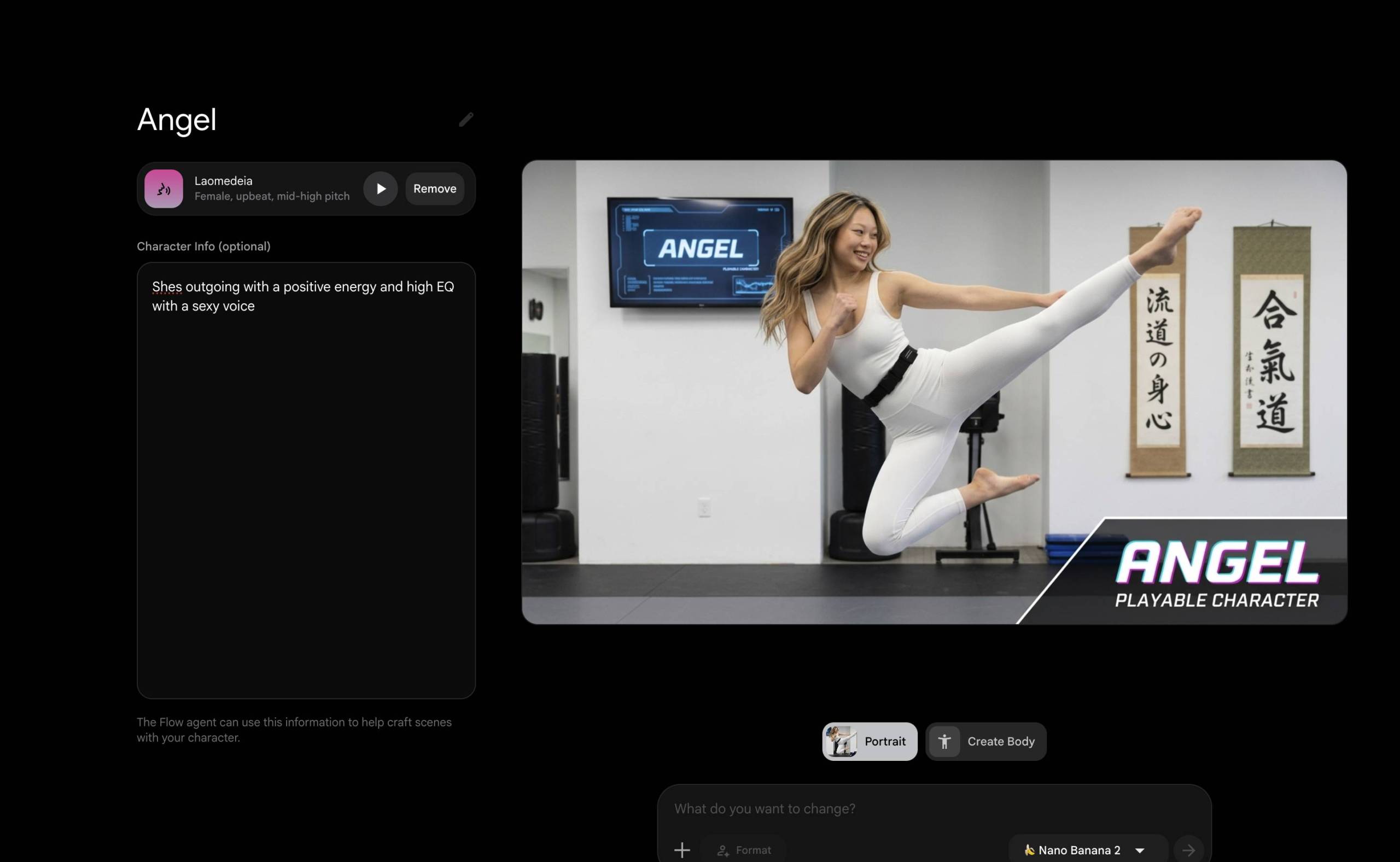
1. Conversational Video Editing (No Timelines Required)
The standout superpower of Omni Flash is multi-turn, conversational editing. Traditionally, if an AI video wasn’t perfect, you had to re-roll the entire prompt and hope for the best. With Omni Flash, you treat the first generation as a rough draft and literally “talk” it into shape:
Object and Character Swaps: You can point to a video clip and say, “Change his blue jacket to a red leather jacket,” or “Swap the laptop on the desk for a coffee mug.”
Relighting and Environment Shifts: You can shift the mood dynamically: “Make the lighting warmer, like a golden hour sunset,” or “Change the background from an office to a rainy Tokyo street.”
Persistent Scene Memory: The model maintains absolute spatial framing, camera motion, and object consistency across multiple rounds of chat adjustments.
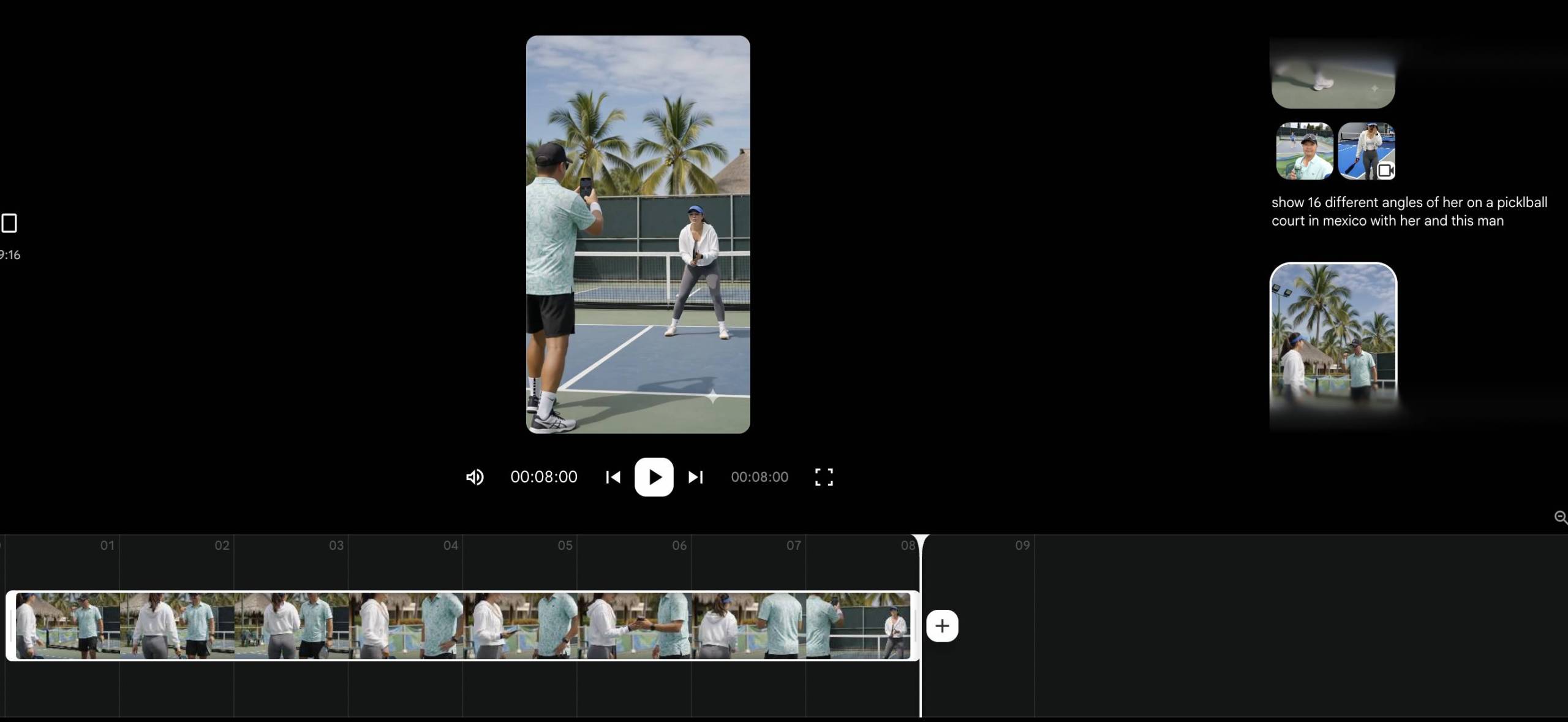
2. Natively Multimodal (Inputs & Outputs)
Omni Flash doesn’t just look at a string of text. It is designed to take text, images, existing video clips, audio tracks, and even sketches all at the same time to guide the final output.
Native Audio Generation: Whenever Omni Flash renders a video, it automatically builds and synchronizes an audio track to go with it. This includes realistic environmental sound effects, background atmospheres, and synced speech.
Lip-Syncing & Language Localization: If you use it to change a character’s speech or translate a clip into another language (like Japanese, Spanish, or French), it automatically re-renders the character’s lip movements to perfectly match the phonemes of the new language.
3. Advanced Creative Features
Beyond basic text-to-video, Google built several production-level tools right into the architecture:
Motion and Style Transfer: You can feed it a live-action reference video clip and ask it to recast the entire aesthetic into anime, claymation, cyberpunk, or a watercolor sketch while perfectly tracking the underlying movement.
Dynamic Text Tracking: It can accurately print legible text directly inside the video frame and lock it onto moving objects or surfaces (like a product label following a box as it moves), maintaining correct perspective and lighting.
Custom AI Avatars: Users can train or drop in a personal AI avatar that holds their likeness and natural expressions, letting them generate customized video content from text prompts without shooting fresh footage every time.
Technical & Production Specs
Omni Flash is built to operate at the sweet spot of speed and affordability for fast creative pipelines, content marketing, and app developers:
Native Resolution & Length: Generates native 720p clips at 24fps, typically starting at an 8-to-10-second baseline clip that can be extended up to 60 seconds. A 1080p upscale is available as a clean post-processing step.
DeepMind Safety & Watermarking: Every video generated or edited by the model is invisibly watermarked using Google’s SynthID and carries embedded C2PA Content Credentials in the metadata, ensuring the content can be verified as AI-assisted even after being compressed or re-encoded for social platforms.
Availability: It is deeply integrated across the Google ecosystem—available in the primary Gemini App (replacing Veo), baked into Google Photos for a “Video Remix” template feature, accessible in Google Flow, and open to developers through the Gemini Enterprise Agent Platform API.